

Close Menu
USTaxNews.live – Your Trusted Source for U.S. Tax & Finance Updates
  • Home
  • Audit
  • Finance
  • IRS
  • Legal
  • Tax News
  • Tax preparation
  • Tax Tips
  • USA Accounting
What's Hot

Retail turnarounds take hold just in time for the holiday season

November 24, 2026

Anthropic Shares Slide Below IPO Price

November 24, 2026

Goldman Sachs Says Unusual Job Market Pattern Could Hit Workers’ Pay

November 24, 2026

Subscribe to Updates

Subscribe to our newsletter and never miss our latest news

Subscribe my Newsletter for New Posts & tips Let's stay updated

Subscribe to USTaxNews

* indicates required

Subscribe for Tax Updates

Get the latest IRS news, tax tips, and deadlines delivered to your inbox.

style="display:none">
Facebook X (Twitter) Instagram
USTaxNews.live – Your Trusted Source for U.S. Tax & Finance Updates
  • Home
  • About Us
  • Advertise With Us
  • Contact Us
  • DMCA
  • Privacy Policy
  • Terms & Conditions
  • Home
  • Audit
  • Finance
  • IRS
  • Legal
  • Tax News
  • Tax preparation
  • Tax Tips
  • USA Accounting
USTaxNews.live – Your Trusted Source for U.S. Tax & Finance Updates
Home » Mistakes You Should Never Make on LinkedIn, From Etiquette Experts
Audit

Mistakes You Should Never Make on LinkedIn, From Etiquette Experts

EditorBy EditorNovember 24, 2026No Comments4 Mins Read
Share Facebook Twitter Pinterest LinkedIn Tumblr Email
Share
Facebook Twitter LinkedIn Pinterest Email Copy Link


With over 1.3 billion users worldwide, LinkedIn is one of the most popular professional-networking sites.

Being active on the platform can help you build a personal brand, grow a professional network, or land a new job. However, a few common missteps can undermine your professional image.

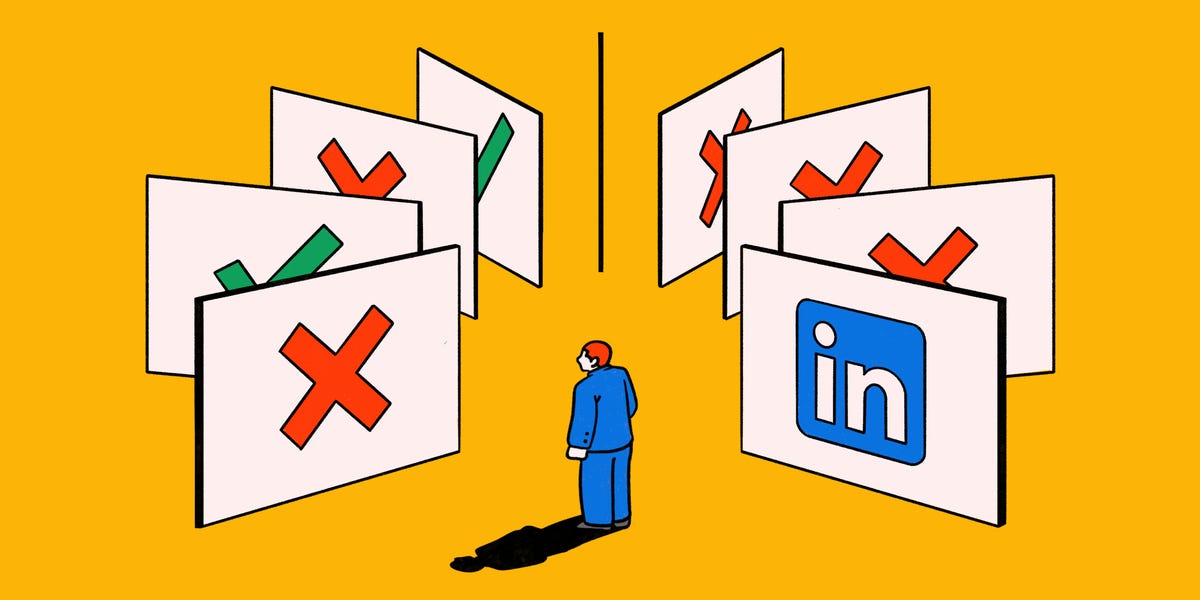
So, Business Insider asked two etiquette experts to share the biggest LinkedIn mistakes they see — and how to avoid them. Here’s what they said.

Leaving typos in posts

Stayce Wagner, founder of Spencer Crane Etiquette and a business-etiquette consultant certified through The Protocol School of Washington, told BI that LinkedIn posts should be kept typo-free.

When typing up a post, she said it’s important to “take the time to put your best foot forward because you’re making a first impression. People will stop reading when they see typos in posts.”

Using the wrong emojis when communicating with colleagues

A comment with heart emojis under a post.

Heart emojis can be misconstrued. 

Tyler Le/BI


Elaine Swann, an etiquette expert who founded the The Swann School of Protocol, emphasized the importance of being “mindful of the emojis we use in the business arena.”

For example, she said if a colleague shares a win on LinkedIn, a congratulatory comment with heart emojis could be misconstrued in the business world, even if you know the individual personally.

Only using the platform when you need a favor

Although LinkedIn can be a great tool for building career-boosting connections, Swann said it’s important to regularly engage with your network and avoid using LinkedIn only when you need favors.

“Hop on every once in a while, look at what folks are doing and comment, share, or react with the ‘like’ button. This way, you are engaging with people, not just merely asking for something on the other end,” she said.

Misusing the connecting and following options

A person choosing whether to press a "follow" or "connect" button on a profile.

LinkedIn gives users the option to “follow” or “connect” with others. 

Tyler Le/BI


LinkedIn offers two ways to build your professional network: follow someone to learn from their content, or, connect with someone to build deeper relationships.

Wagner said it’s important to know when to use each option. Per LinkedIn’s guidelines, users should only consider connecting with someone they already have a relationship with or want to stay in touch with.

If you’re interested in someone’s content, Wagner recommends following first and interacting with their posts. Then, if there’s a real reason to send a connection request, you should do so with a personalized note.

Using AI to write without editing the content

LinkedIn is a platform for building relationships and genuine connections. So, Wagner said posting AI-written content without editing it or adding your authentic voice is a mistake that can undermine your credibility.

“In the age of AI writing everything for everyone, authenticity has taken on a new life and new importance,” Wagner said.

Treating the platform like other personal social media sites

A phone with a variety of posts overlaid on top, including one with a couple in a heart.

LinkedIn is not the place for updates on your personal life. 

Tyler Le/BI


“LinkedIn is a platform geared toward business, so the content we share should not mirror what we see on other social media platforms, such as Facebook, for example,” Swann told BI.

Want more Business Insider in your news feed?

Add BI in Google so our reporting is easier to find when you’re searching for what matters.

For example, romantic life updates, rants about other people (professionally or otherwise), and lifestyle posts that include excessive partying are not appropriate for LinkedIn.

Instead, Swann recommends posting content that fits the scope of business, like useful information, announcements, and industry insights.

“If you make a mistake and post something that’s a little more personal, even if just a few people have commented on it or or reacted to it in some way, it’s absolutely acceptable for you to delete that so it does not stay alive,” Swann said.

Sending unsolicited messages

Whether you want to pitch someone an idea, offer your services, or encourage them to make a purchase, Swann said you should never do so right out of the gate.

Instead, she recommends connecting first, briefly introducing yourself and what you do, then asking if you can send additional information via email or otherwise.


Source link

Share. Facebook Twitter Pinterest LinkedIn Tumblr Email
Editor
  • Website

Related Posts

Anthropic Shares Slide Below IPO Price

November 24, 2026

Goldman Sachs Says Unusual Job Market Pattern Could Hit Workers’ Pay

November 24, 2026

10 States Set to Build the Most Housing for Their Growing Populations

November 24, 2026
Leave A Reply Cancel Reply

News
Finance

Retail turnarounds take hold just in time for the holiday season

A customer shops at a Target store, Nov. 18, 2026 in Chicago, Illinois. Scott Olson…

Best Buy (BBY) Q3 2027 earnings

November 24, 2026

U.S. food bank demand rises as SNAP rules tighten

November 24, 2026
Top Trending
IRS

IRS raises the 2027 401(k) contribution limit by $1,000 to $25,500

The 2027 contribution limit for 401(k) plans is rising to $25,500, up…

IRS

IRS updates 2027 tax brackets and raises standard deduction to $16,600

The Big Money Show analyzes the latest tax votes as Florida voters…

IRS

IRS CEO Frank Bisignano says mobile app will combat fraud and theft

IRS CEO Frank Bisignano says the agency’s new mobile app will let…

Subscribe to News

Please enable JavaScript in your browser to complete this form.
Loading

Welcome to USTaxNews.live – Your Trusted Source for U.S. Tax, Accounting, and Financial News.

At USTaxNews.live, we’re committed to delivering accurate, timely, and practical information on everything related to U.S. taxes, IRS updates, legal issues, accounting practices, and the broader financial landscape. Whether you’re a taxpayer, accountant, legal professional, or business owner, we’re here to help you stay informed and ahead of change.

Our Picks

California voters reject Prop. 40 billionaire wealth tax, CBS News projects

November 10, 2026

Mark Zuckerberg threatened to leave California over proposed billionaire tax, Meta says

October 22, 2026

California billionaire tax could leave state with less revenue, Stanford study cautions

October 19, 2026

Subscribe to Updates

Please enable JavaScript in your browser to complete this form.
Loading
  • Home
  • About Us
  • Advertise With Us
  • Contact Us
  • DMCA
  • Privacy Policy
  • Terms & Conditions
© 2026 ustaxnews. Designed by ustaxnews.

Type above and press Enter to search. Press Esc to cancel.